


Hello Everyone!
Today's release is focused on making Legend safer and more predictable in daily use, with fixes for Google Calendar, pop-up pane functionality, Google Drive attachments, dates, links, hotkeys, and several community-reported issues.
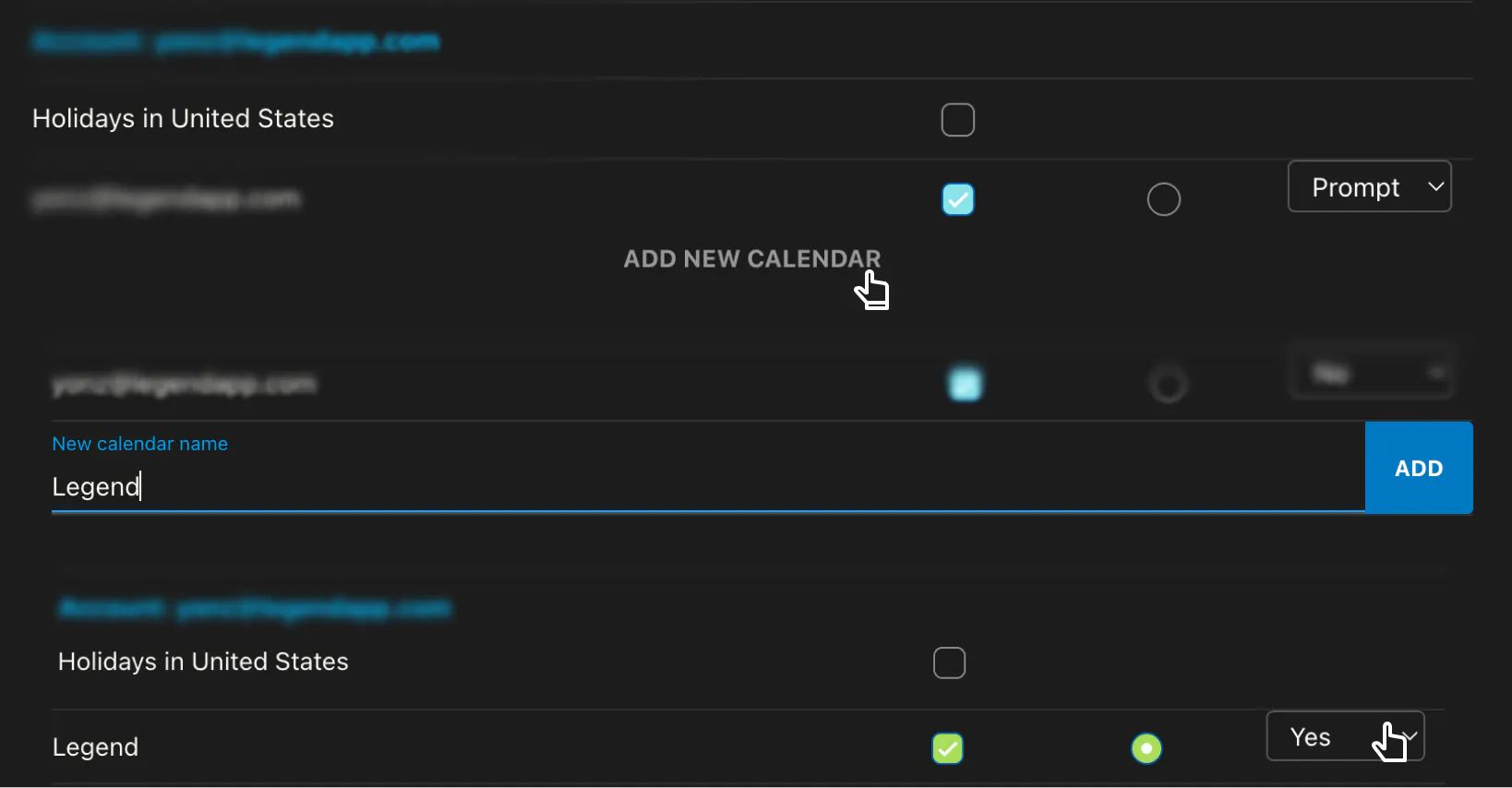
Google Calendar Confirmations – Legend now asks before making changes that can affect synced Google Calendar events, including moving or deleting events. We are moving to 'prompt' permission by default; you can always set it to 'write' (edit w/o prompting) in calendar settings. Calendar change confirmation
Calendar changed prompts may get annoying; we recommend creating a
LegendCalendar under your account and settingEditable: yesfor fast date creation and editing without impacting external-facing calendar events
Google Drive Permission Reliability – Google plugins are now enabled based on the access actually granted to Legend, not just the access requested. If Drive access is missing or invalid, Legend now shows clearer guidance instead of opening a broken picker. Drive picker fails on the second account. Known issue: Electron package update required for desktop (ETA 5/24).
Fix: Gmail Account Switching & Sign-in Electron - In-App browser Google authentication links now stay inside the Electron webview instead of opening the system browser. This bug prevented adding email accounts and switching to other emails when using Gmail from the in-app browser.
Fix: Insert Dates at Cursor – Adding a date from the right-click menu now inserts it at the cursor position instead of the end of the item, and dates added at the start of an item no longer add an extra leading space. Date insertion spacing
Fix: Popup Pane Reliability – Popup panes now handle multi-select actions correctly, keep typing after indenting, and support hotkeys while working inside a popup pane. Popup pane issues: multiselect, hotkeys, typing after indent
Fix: Links in Notes and Sticky Notes – Note links now insert correctly when pressing Enter, and existing sticky note URLs can be opened, cleared, removed, or edited more reliably. Link management in sticky notes links
Hotkey Improvements – Added expand hotkey support, enabled Ctrl+L, and now reject duplicate hotkey assignments to make shortcuts more predictable. Hotkey improvements
Tag and Command Palette Polish – Tags now render with their custom colors, and long tag names no longer break the command palette layout. Tag colors and long tag names
Fix: Calendar Dated Items in Outline/List – Items with dates no longer disappear from Outline or List view after calendar filters were changed in Calendar view.
Fix: Inferred Overview Headers – Overview headers using inferred hierarchy now stay visible after the document loses focus, and inferred-only headers correctly show their chevron.
Fix: Pane Tombstones and Deletion Reliability - Deleted panes now sync correctly across devices, rather than returning or remaining visible after deletion. Permanently deleted panes and documents also clear out more reliably, and deleted items disappear from Trash after permanent deletion completes. Extra Panes Syncing
Fix: Google Auth in Electron Browser Pane – Google authentication links now open inside the Electron webview instead of unexpectedly opening a separate browser window. Known Issue: passkey is not supported, and some flows still go to the system browser.
Highlight Rename – Rename 'highlight across all panes' to ' show in all panes.' Highlight across panes rename
Fix: Add Item Button Alignment – The “Add item” button icon and text now align properly.
Fix: Document Item Counts – Deleting items no longer double-decrements document counts, so item totals stay accurate after deletion. Item count after delete
As always, thanks for being part of the beta community. Please keep reporting issues and suggestions in the forum.
-Yonz