


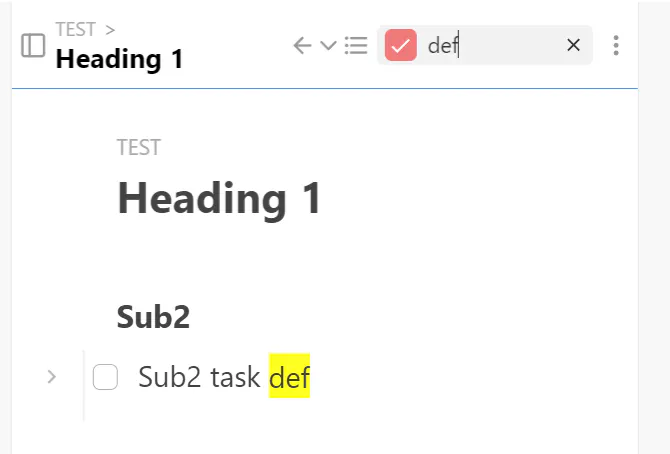
Currently the behavior when the "Collapse matches of filters" setting is enabled collapses all items that match the text entered in the Filter box when no children of the matched item match the filter text. This same behavior should be applied when other filters besides text are selected. It used to be but broke a long time ago, that's why I consider it a "Bug".
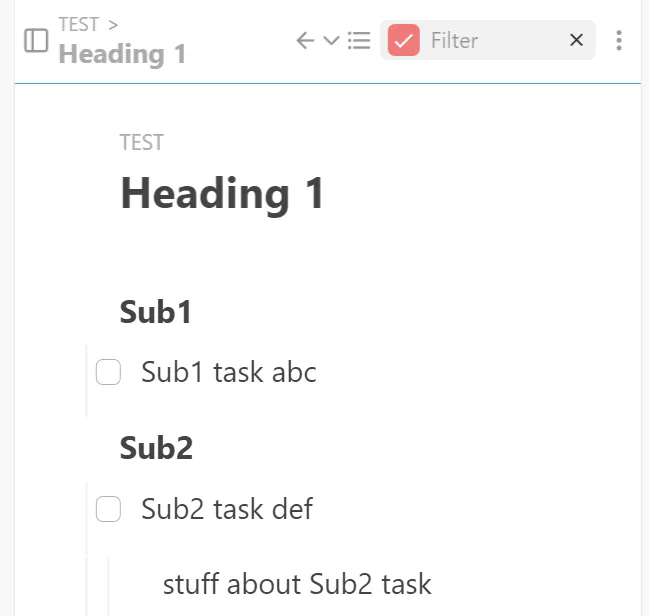
Here is an example with no filters set besides "-is:complete" so all non-completed items are shown.
If the filter text is set to "def", it properly collapses the matched task item "Sub2 task def" since it has no children that match "def".
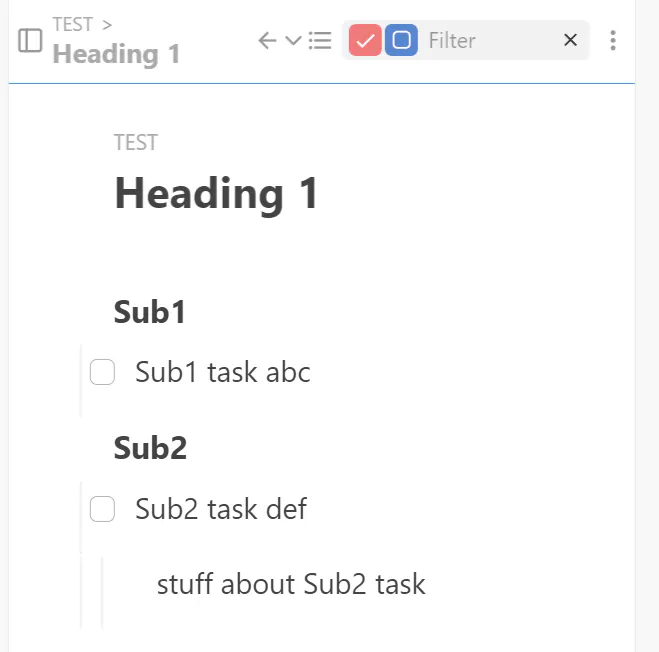
This last screenshot shows the "is:task" filter enabled. In this case, the task item "Sub2 task def" should be collapsed because the plain item "stuff about Sub2 task" does not match the filter (it is not a task type).
Similarly, the default behavior is to expand the document to show matches when filter text is entered (when matched items would otherwise be under collapsed parents) but it does not expand to show matches when any other filter, such as "is:task", is set. There had been discussion over whether this is desired behavior and I strongly supported it. However, at the very least, if the optional "Collapse matches of filters" applied to all filter changes not just filter text changes, that would at least allow the user to achieve the same result by expanding all before applying the filter. Personally, I think there should either be a setting to "Expand to show matches of filters" or have a single setting that both enables behavior that expands and collapses to show matched items and only matched items when applying any filters, not just text filters.
Original thread:
https://forum.legendapp.com/d/1666-not-fully-auto-expanding-on-filter-change